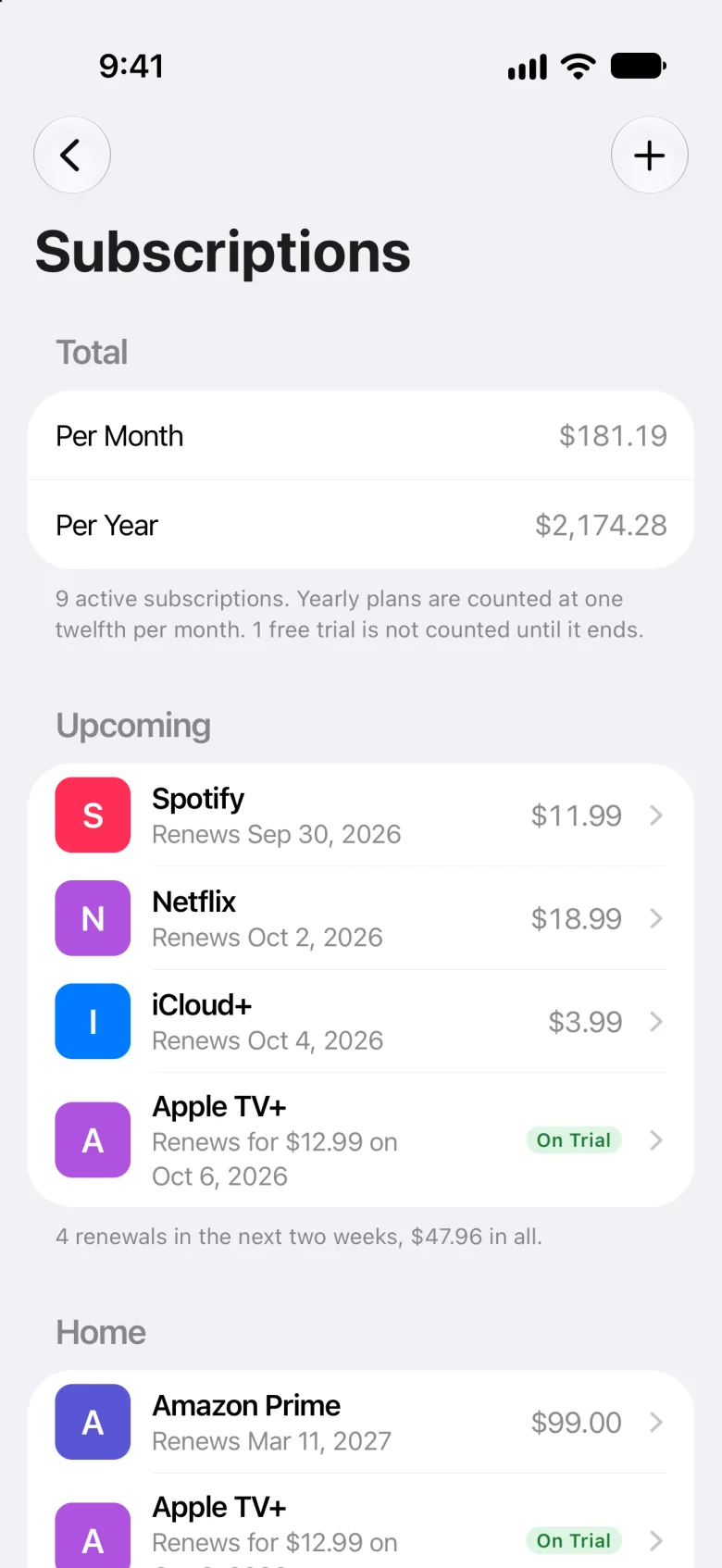
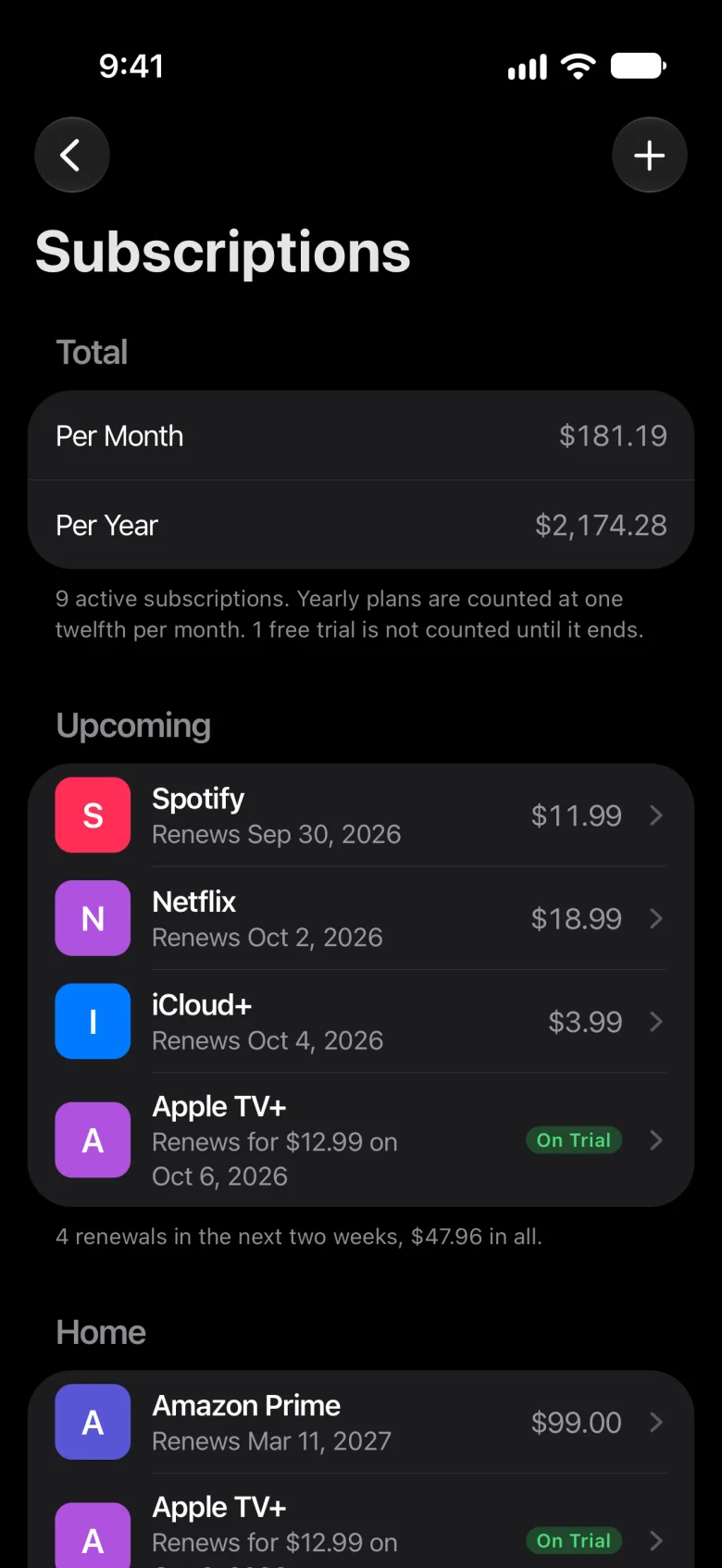
Track your subscriptions
without linking your bank.
You don’t need to connect a bank just to keep a list of things you already know you pay for.
First, the honest part
Meter is manual. You add what you pay for yourself. On iPhone 15 Pro or later with Apple Intelligence, you can also share a receipt, a PDF or a Safari page into Meter, and Apple Intelligence reads it for you; nothing is added until you tap ✓.
Meter never connects to a bank, so it won’t find a charge you’ve forgotten about, and it doesn’t cancel anything for you. It keeps the list you give it, and reminds you the day before each renewal.
Want an app to find your charges for you?
That usually means linking a bank. If you’re weighing one up, here’s how Meter compares with an app that does.
Find the ones you’ve forgotten, once, without linking anything
Meter can’t find them for you, but you can, with what you already have.
-
Go through your statements
Look through the last few months of card and bank statements for charges that repeat. A yearly plan shows up only once a year, so look further back for those.
-
Check what Apple bills you for
On iPhone, open Settings, tap your name, then Subscriptions. It lists what’s billed through Apple.
-
Search your email
Look for receipts and renewal notices, with words like receipt, renewal, subscription and trial.
-
Check PayPal and other payment accounts
If you pay for things through PayPal or another payment account, look there too for payments that repeat.
-
Add them to Meter, once
For each one, tap + on Subscriptions and fill in its name, price, how often and when it started. From then on, Meter reminds you the day before each renewal.
To see what they come to, try the subscription cost calculator. If you’d rather not use an app at all, read about keeping your list in a spreadsheet.
Linking a bank, or keeping your own list
| Question | Meter | A bank-linked app |
|---|---|---|
| What it asks of you | Add each one once: its name, price, how often and when it started | Usually an account with the app, and your bank sign-in to link your accounts |
| What it can find | Only what you add. It won’t find a charge you’ve forgotten | Repeating charges on the accounts you link, often including ones you’d forgotten |
| Once it’s set up | Shows what you pay per month and per year, and reminds you the day before each renewal, at 9 a.m. | Usually keeps reading new transactions, and adds charges as they come in |
| When a price changes | You change it: touch and hold, then Edit | Often picks up the new amount when the charge comes in |
| Which banks it works with | Any, since it never connects to one | The ones it can connect to, which varies by app and country |
| Where your data goes | Your iPhone and your iCloud, and anyone you share a home with. Nothing is sent to us | Usually the app’s servers, often through a service that connects it to your bank |
Bank-linked apps differ, so this is how they usually work, not how any one app does.
Why Meter
- No bank to link, and no account to make
- Nothing you add is sent to us
- A reminder the day before each renewal, at 9 a.m.
- What you pay per month and per year
- For households in the US and Canada
- Share a home with your family through iCloud
- Free during early access
Questions
Can Meter find subscriptions I forgot?
No. Meter never connects to a bank, so it only knows what you add. To find the ones you’ve forgotten, look through your last few statements, your Apple subscriptions (open Settings, tap your name, then Subscriptions), your email and any payment accounts you use. Then add each one to Meter, once.
Why doesn’t Meter connect to my bank?
Because keeping a list of what you pay for doesn’t need one. Meter has no account and no server: what you add stays on your iPhone and in your iCloud, and nothing is sent to us.
Is it safe to link a bank to an app?
It’s your choice, and it depends on the app and on what you’re comfortable with. Meter doesn’t need it: you add what you pay for yourself, and it never asks for your bank.
How long does it take to add my subscriptions?
You add each one once: its name, price, how often and when it started. On iPhone 15 Pro or later with Apple Intelligence, you can also share a receipt into Meter and check what it read. After that, you only change one when its price or plan changes.
Does Meter work in Canada?
Yes. Meter is for iPhone, in the US and Canada. It never connects to a bank, so it doesn’t matter which bank you use.
What does Meter cost?
Nothing during early access: every feature is free for beta testers.
Is Meter on Android or the web?
No. Meter is for iPhone.
Meter for iPhone
Add them once.
No bank needed.
Meter is a subscription tracker for iPhone and a recurring bill tracker: every subscription and bill in one place, what they come to per month and per year, and a reminder the day before each one renews. Nothing you add is sent to us.
Free during early access, for iPhone in the US and Canada.